Chomp Logger Recommended Installation
Your step-by-step guide to installing your new Chomp Loggers.
What you received
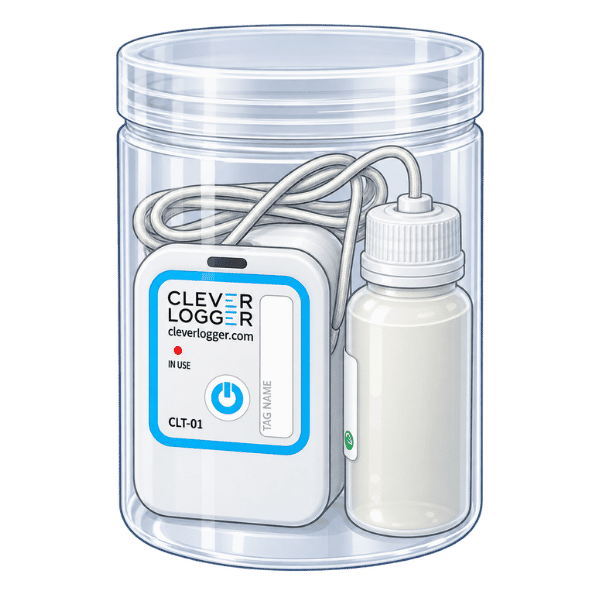
Logger & vial cylinder
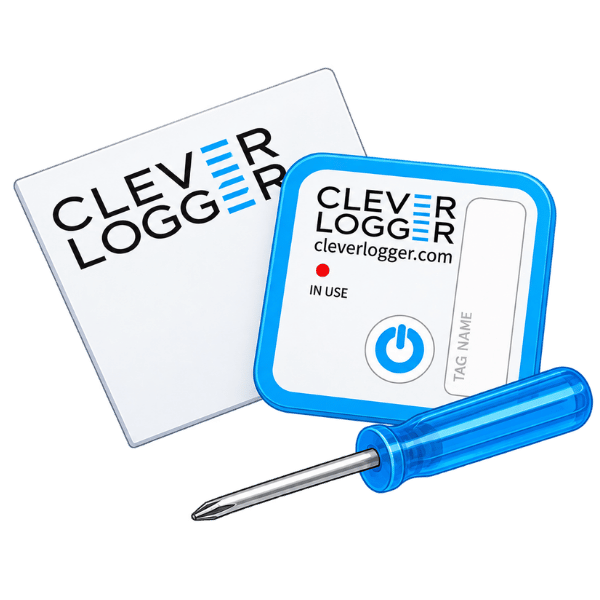
Accessories kit
Including a screwdriver, a sticker, and a cylinder.
Gateway
Your step-by-step guide
Set up your Clever Logger account
- Check your email invitation.
- Create your password.
- Download the Clever Logger app to your Bluetooth-enabled phone or tablet.

Prepare & connect
- Have your Wi-Fi details ready.
- Plug in your gateway.
- Use the Clever Logger app to connect the gateway to your Wi-Fi.

Check your loggers
- Loggers are turned on before we dispatch them to you.
- Red light flashes every 10-12 seconds when the logger is on.
- Loggers will automatically begin recording temperatures.

Place your loggers
- Place the loggers and gateway in their required locations.
- Check the Clever Logger app to confirm the loggers have a good connection.

Check the Chomp Kitchen app
- Open the Chomp Kitchen app.
- Check that temperature readings are appearing correctly.
- Once readings are showing, you're ready to save your temperatures.

Set your alarms
- Once installation is complete, go to your Clever Logger app and configure your temperature alarms for each monitored fridge or freezer.
Need help setting up your loggers?
If you're having issues setting up your Chomp Loggers, take a look at our FAQ's below. If you're still having issues, you can contact our Customer Support team using the Contact Us form or call us on: 0800 246 671.
I'm not getting a signal to my gateway, what do I do?
If you've placed the logger and vial in the cylinder and put it inside your fridge, but the gateway isn’t picking up a signal, it’s likely due to interference. Try moving the gateway closer to the fridge (if there’s a nearby power source) or mount the logger body on the outside of the fridge. Keep the vial and probe inside, with the wire threaded through the door.
I have a walk-in chiller/freezer, where do I put my loggers?
To get accurate temperature readings and a solid install, follow these steps:
-
Drill a hole through the wall of your walk-in chiller or freezer.
-
Thread the metal probe through the hole, making sure the logger body stays on the outside.
-
Position the probe securely inside the unit so it can measure the internal temperature accurately.
Do I still need to save my fridge temperatures in the Chomp Kitchen app now that I have loggers?
Yes, you do.
Even with loggers in place, you still need to save your temperatures in the Chomp Kitchen app. The good news? If all your fridges are compliant, simply click the Refrigeration Temps button, and all the temperature data will appear — just hit save. Easy!
My loggers aren’t logging any data. Why?
This usually means the loggers are trying to communicate with the gateway, but the signal isn’t strong enough.
Think of it like trying to talk through a closed door; it works at first, but as more barriers are added, your voices become muffled. The logger and the gateway need a clear line of communication to transmit data reliably.
My loggers aren’t logging anything. What should I check?
First, check the power.
The red power light flashes faintly every 10–12 seconds (to conserve battery). To test the logger:
-
Hold the power button for 4 seconds
-
If you see a solid red light: you just turned the logger ON.
-
If the red light flashes 5 times: you just turned it OFF.
-
If there's no light at all: your battery is likely dead, time for a new one.
How long do the batteries last?
Battery life is typically 12–18 months, depending on how frequently your logger records data.
Tip: In colder environments like freezers, battery life may be shorter.
My alarms are going off too often. What should I do?
You're in control of your own alarm settings.
You can adjust how often you're notified of rising temperatures or if a device goes offline. Choose a setup that works best for your workflow and peace of mind.