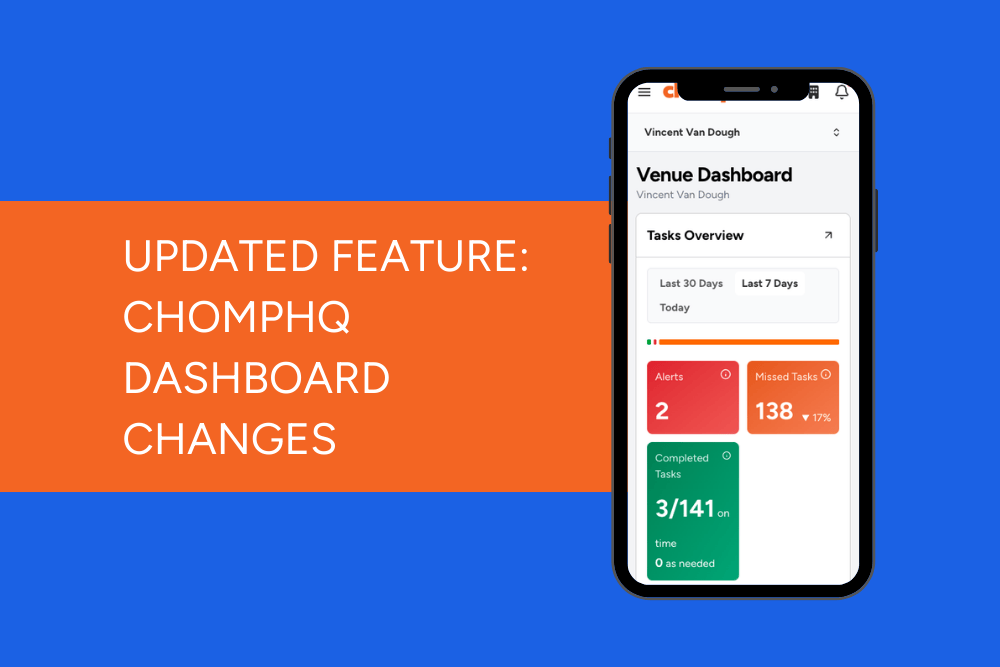
We’ve simplified the ChompHQ dashboard to make it easier to see what’s happening in your venue and find the tools you need faster.
Nothing has been removed — the same information is still there, just organised into clearer sections. More improvements across ChompHQ will follow over the coming months.
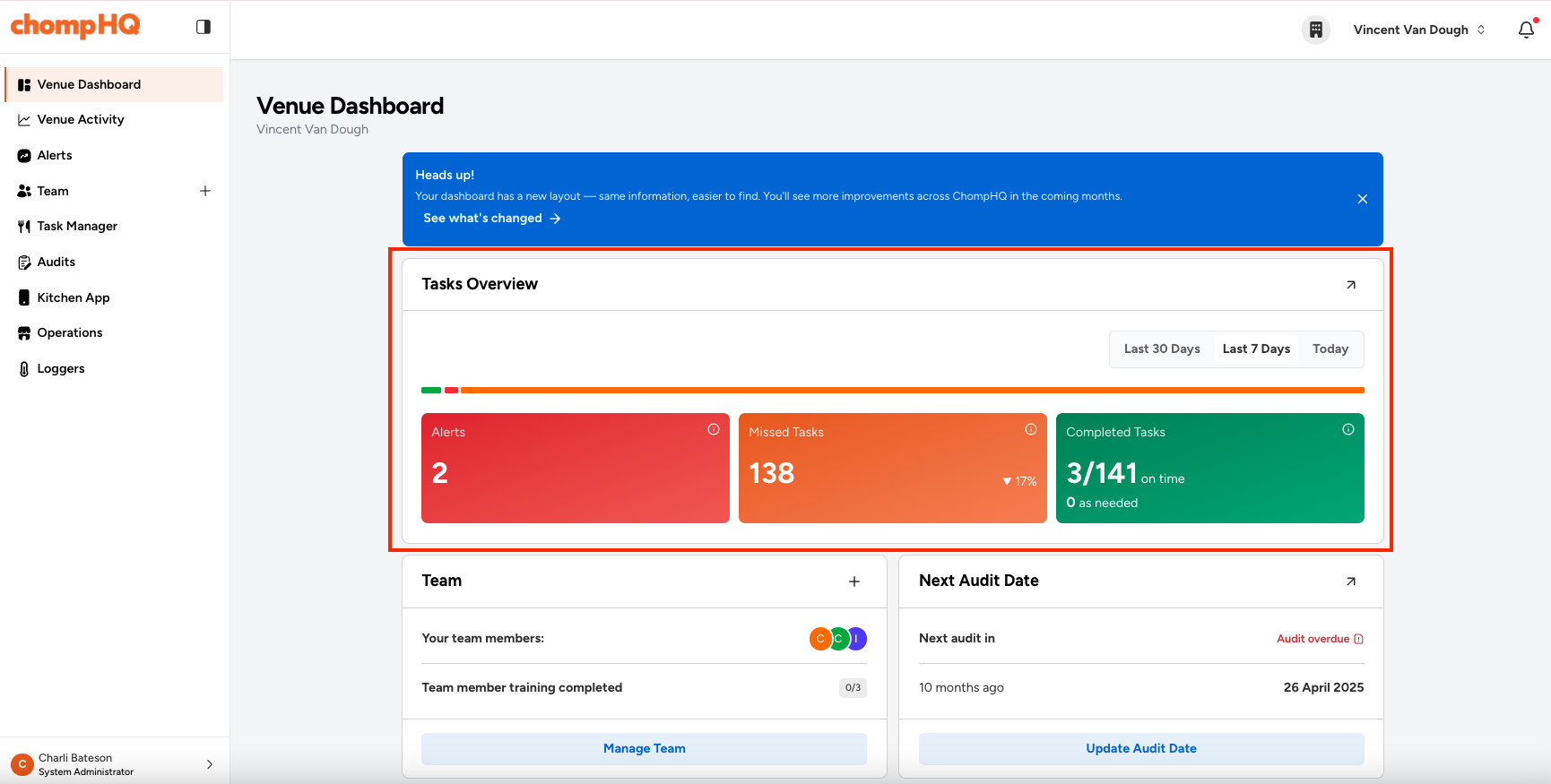
What’s new - at a glance
- The dashboard is now split into clearer sections.
- Key information is grouped to stand out.
- The left-hand navigation has been simplified.
Where to find things now
Tasks overview
This section summarises your task activity for the selected time period.
You’ll still see:
- Alerts
- Missed tasks
- Completed tasks
Use the time selector (Today / Last 7 Days / Last 30 Days) to quickly compare activity across different time periods.
Alerts feed
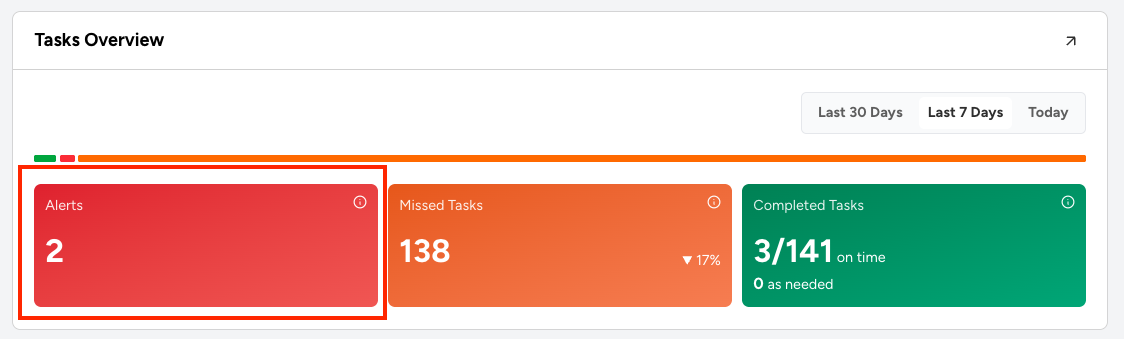
The alerts feed (any issues the kitchen has recorded) can now be found in two places:
Either click the Alerts button or Alerts in the left-hand navigation menu.
Recent diary activity
For further simplification, we have removed the recent diary activity list.
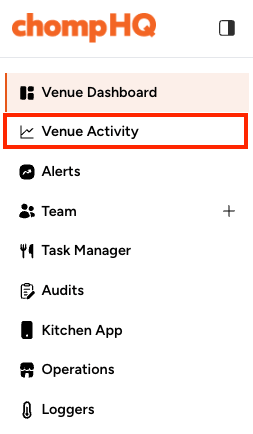
You can now access the full details by clicking on the green Completed Tasks button or on Venue Activity in the navigation.
Chomp Kitchen App
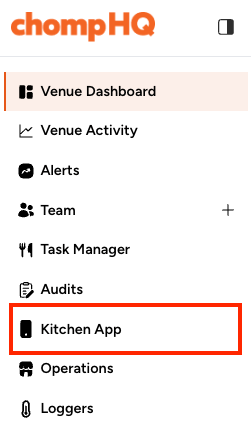
Based on customer feedback, we’ve changed where you access your Chomp Kitchen App.
You can still access it by selecting Kitchen App from the left-hand navigation panel, or from the menu icon in the top left when using ChompHQ on mobile.
Team & staff
Quickly see your team members and training progress, with easy access to manage your team.
To add a new team member quickly, click the + icon in the top right of the Team & Staff card, or select Manage Team.
Reminders and other key venue information
Items like upcoming audits, billing, and supplier certificate reminders are now easier to spot and manage.
Navigation updates
We’ve made a few changes to the navigation to simplify naming and make sections easier to find.
| Previous name | New name |
| Dashboard | Venue Dashboard |
| Activity | Venue Activity |
| Audit Report | Audit |
| Food Safety Tasks | Task Manager |
| Venue | Operations |
| Chomp Kitchen App | Kitchen App |
| Logger Devices | Loggers |
Additional changes:
- If you are an owner or group manager, Company Management has moved to the building icon in the top-right corner.

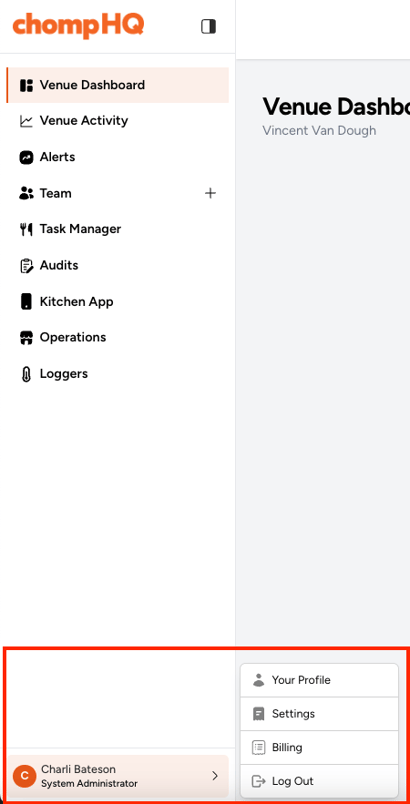
- Billing, Your Profile, and Settings are now grouped under your name and role in the bottom-left panel. Click the arrow to expand the menu.
Why we made these changes
We heard that the previous dashboard could feel busy and it wasn’t always clear where to find certain things.
This update is designed to:
- Make important information easier to scan
- Reduce clutter
- Help you find the tools you need more quickly
What’s next for ChompHQ
The dashboard is the first step in a wider design refresh.
Over the coming months, we’ll be gradually updating other pages in ChompHQ using the same design approach to make the platform easier to navigate and more consistent to use.
We’ll continue to highlight any changes in the Info Hub, so you always know what’s new.
Need help finding something?
If something looks unfamiliar, it’s usually because it’s moved into a different section — not because it’s been removed.
If you need help locating something, our support team will be happy to point you in the right direction.